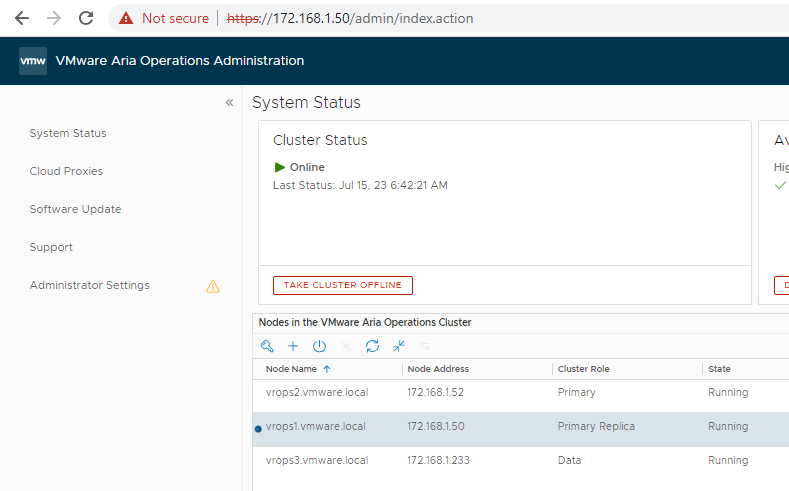
Below you can see my cluster is Online within vrop admin
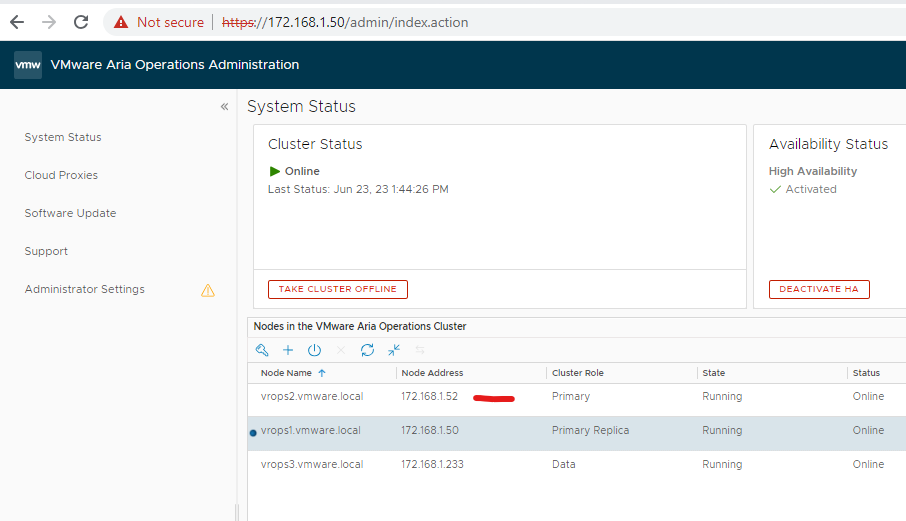
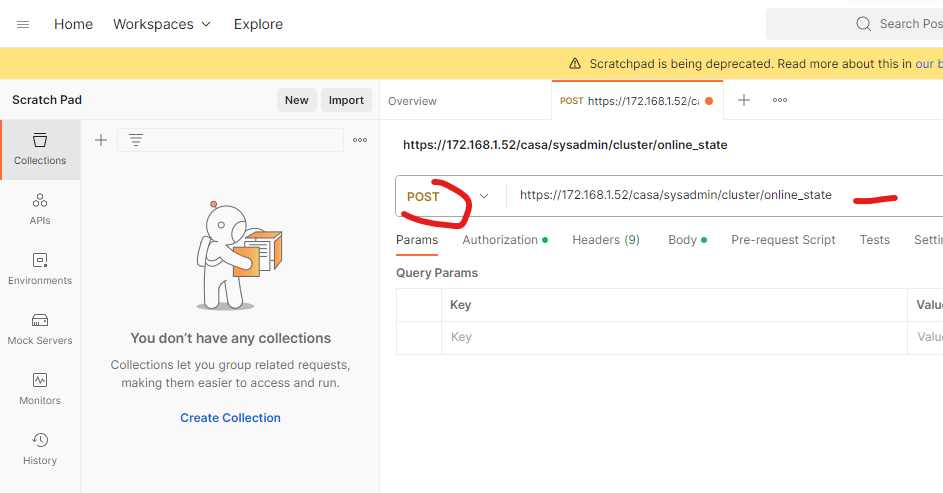
Open postman, change the URL to POST, add the below URL next to POST but replace the ip address with either your vrops master/primary node or VIP address
POST https://172.168.1.52/casa/sysadmin/cluster/online_state
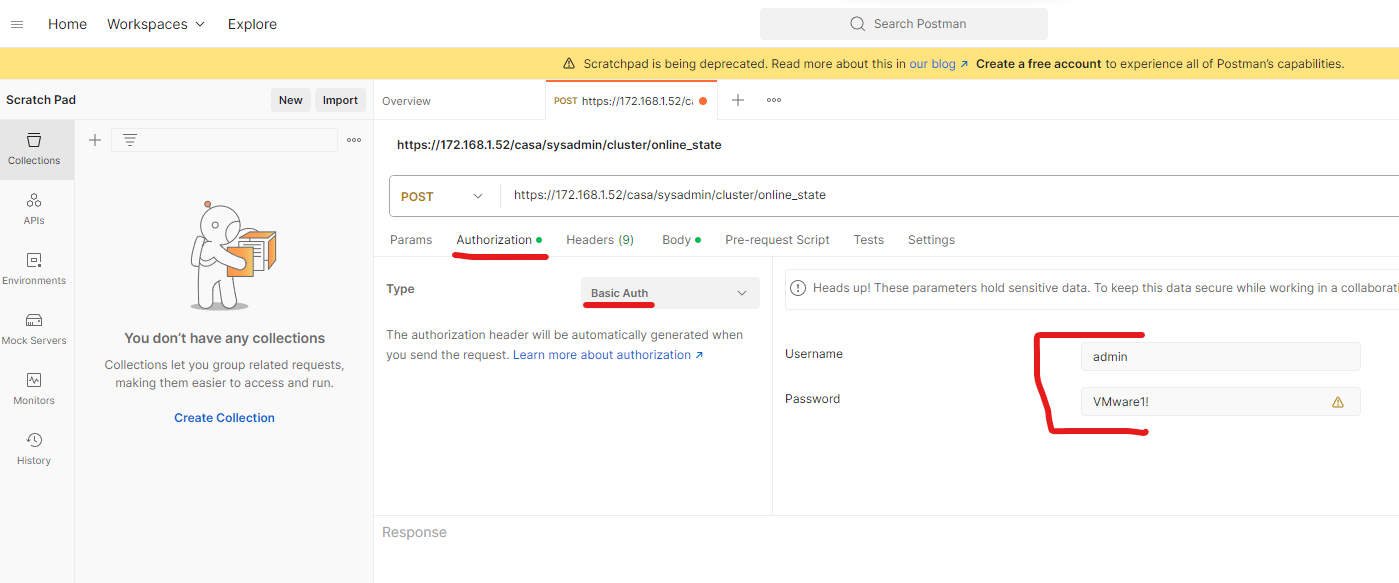
Click authorization tab, change type to Basic Auth, put in your admin credentials for vrops
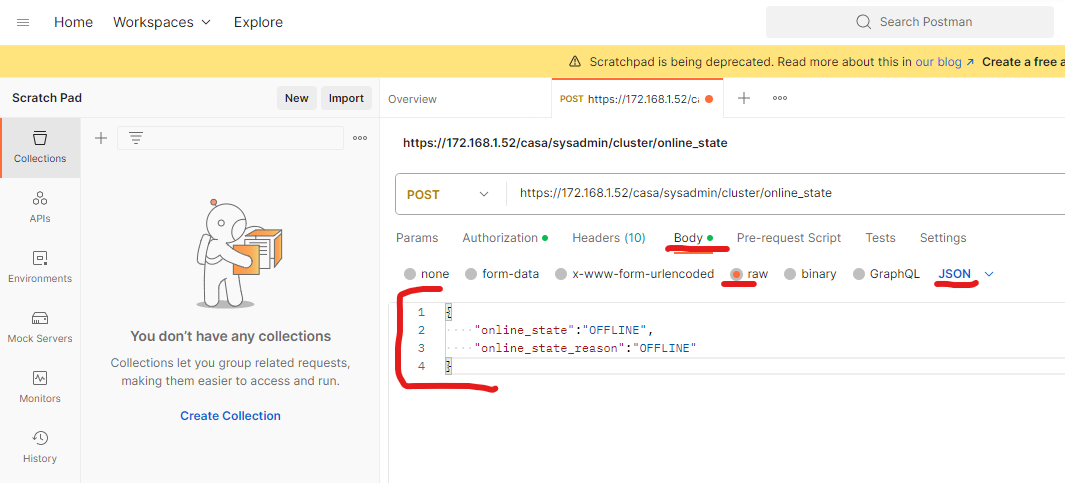
Click body tab, click raw and JSON is selected in the drop down, Copy the below to the body
{
“online_state”:”OFFLINE”,
“online_state_reason”:”OFFLINE”
}
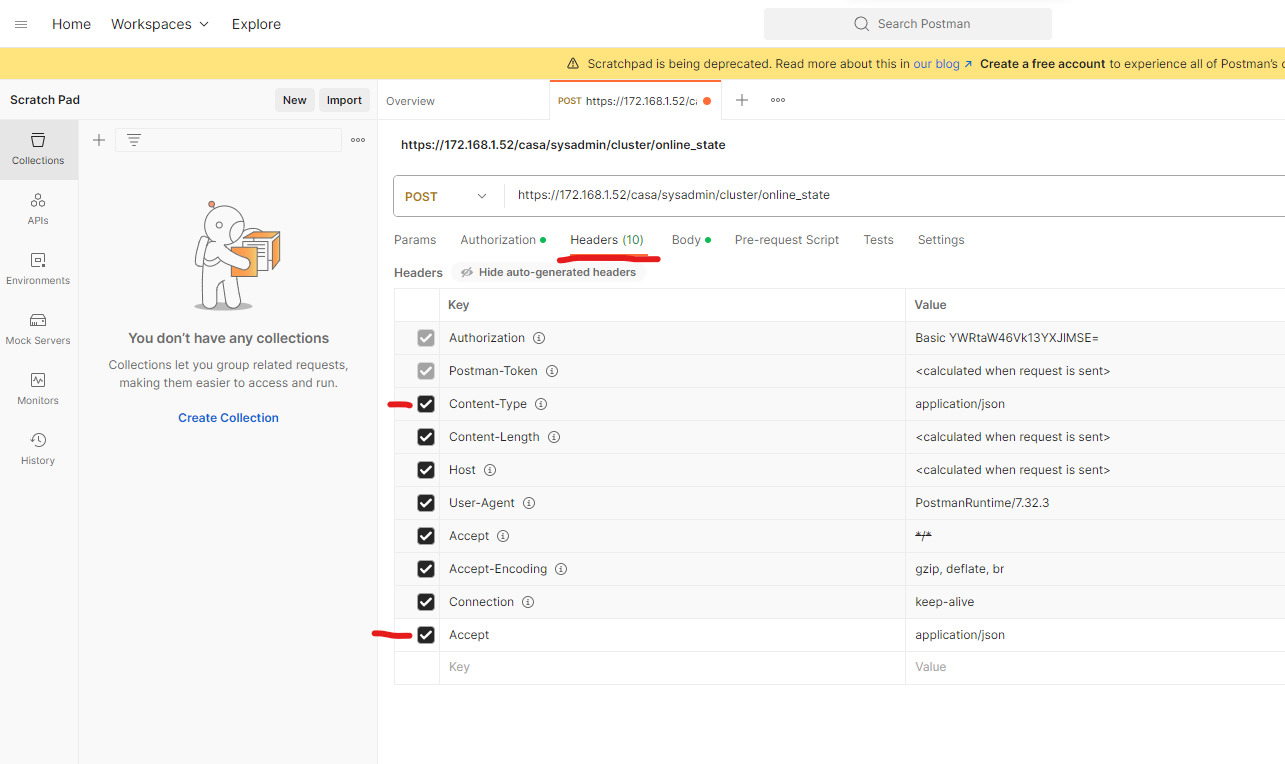
Click Headers tab and ensure the below Key and Value is in the list, if not then add it
Value Key
Accept – application/json
Content-Type – application/json
Click Send

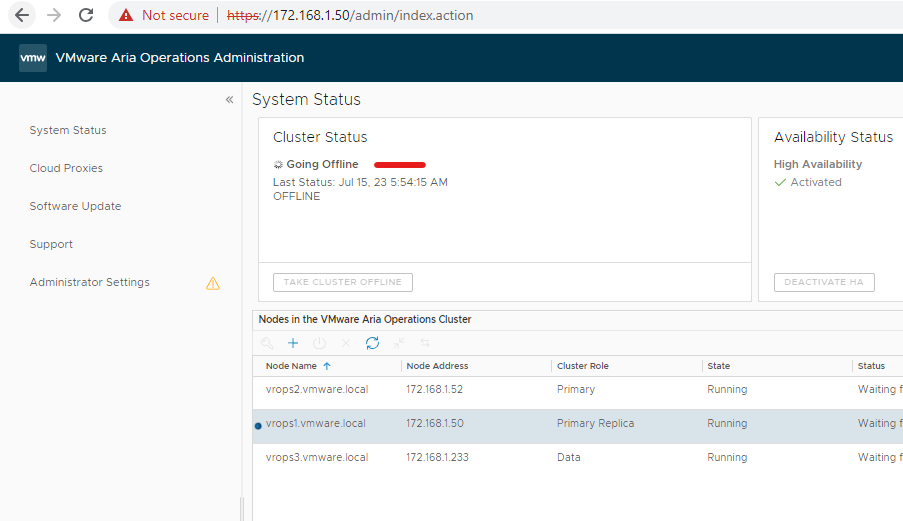
You can see the vrops cluster is going offline
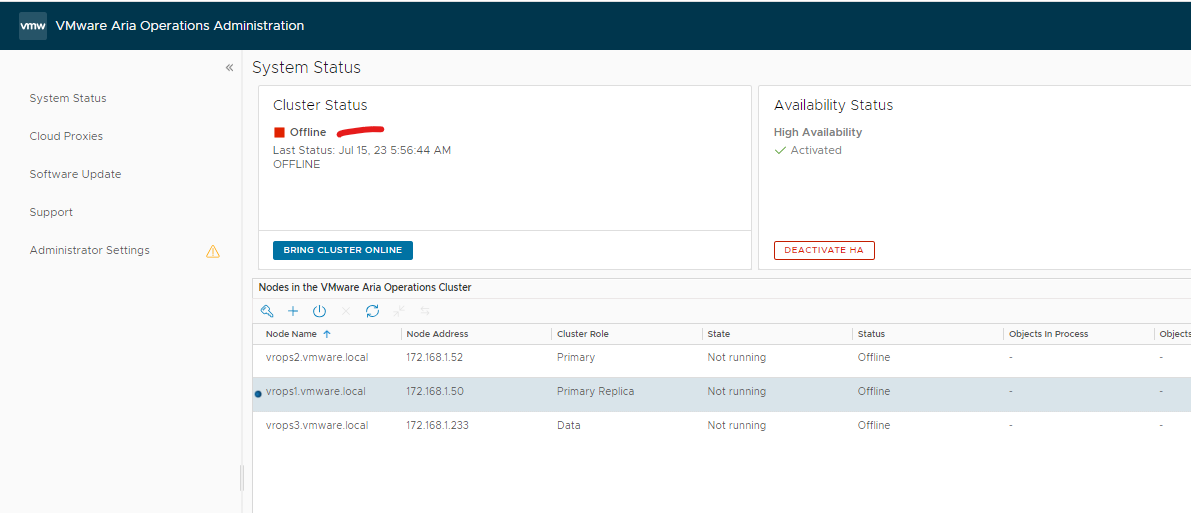
Its offline
You can use postman to bring it back online as well, by Modifying the body to the below and click Send
{
“online_state”:”ONLINE”,
“online_state_reason”:”ONLINE”
}
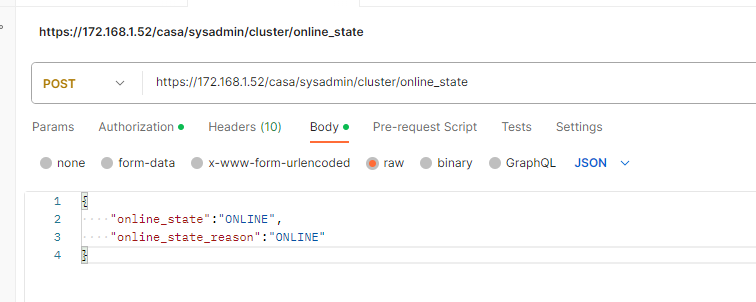
It’s going back online
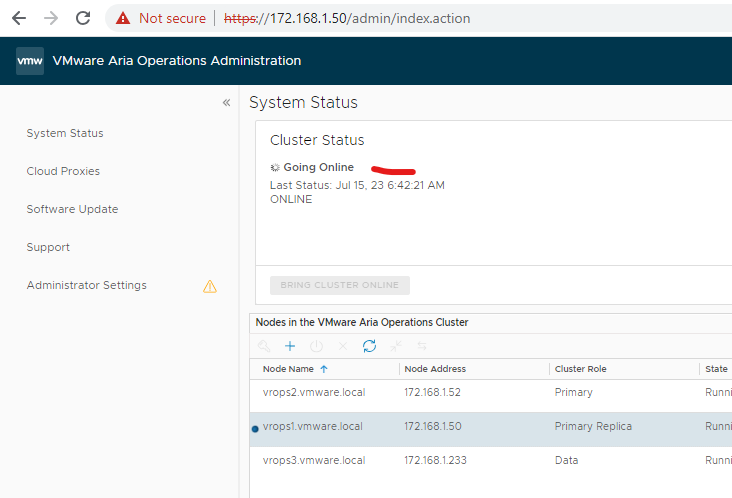
Its online now